Delivery
The delivery methods offered on the storefront, the cities, the branches and the pickup points, the general delivery settings.
Updated:
When completing an order the customer chooses how to receive the goods: pickup from a branch or a courier, with a cost calculated by rules. All of this is configured in Settings → Delivery, four screens: Site Delivery (the methods), Cities, Branches and Settings.
Site Delivery — the methods
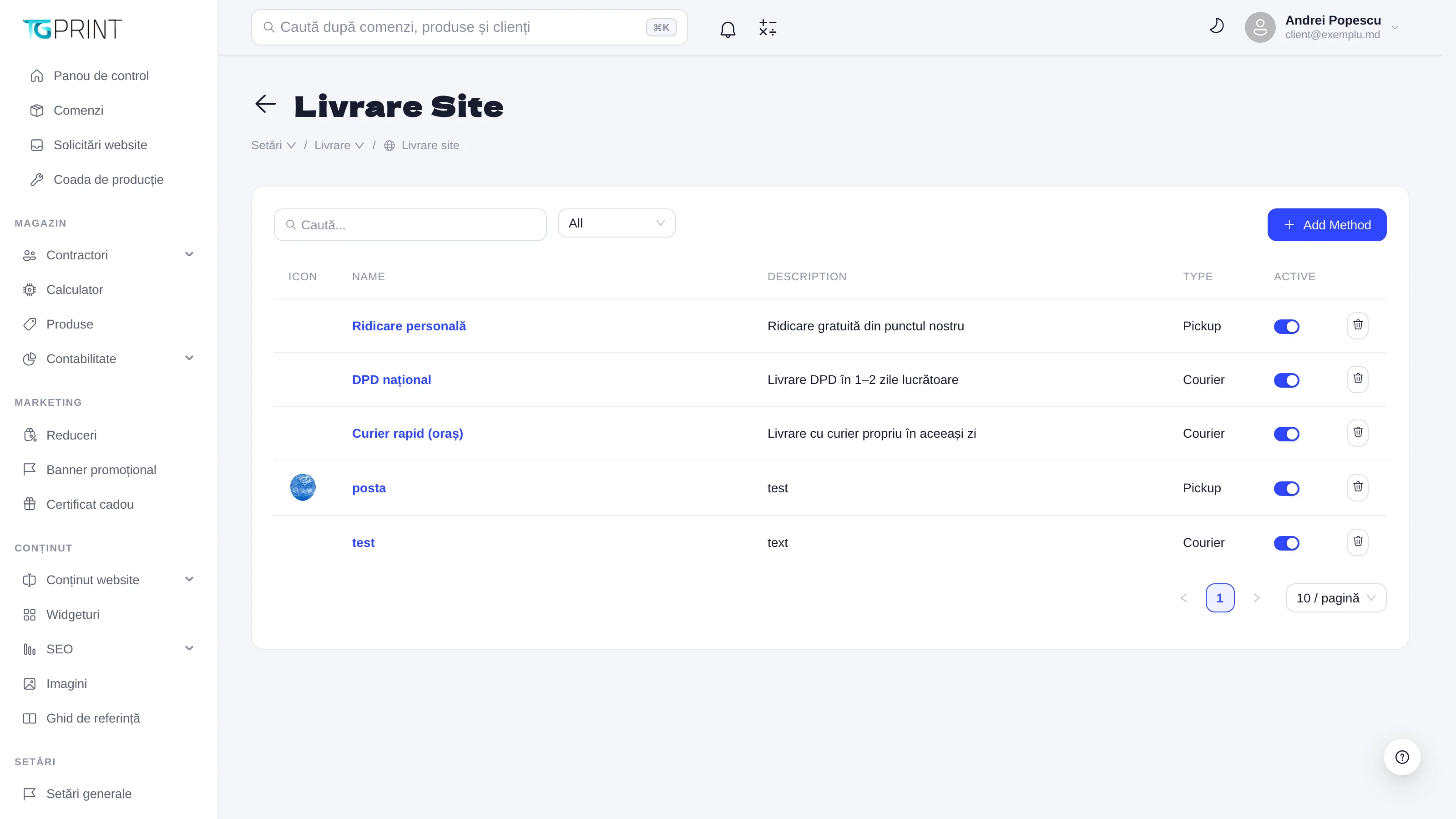
The Site Delivery list shows the methods with Icon, Name, Description, Type (Pickup — self-pickup, Courier — delivery to an address) and Active. Add Method creates a new one; clicking a method opens it for editing.
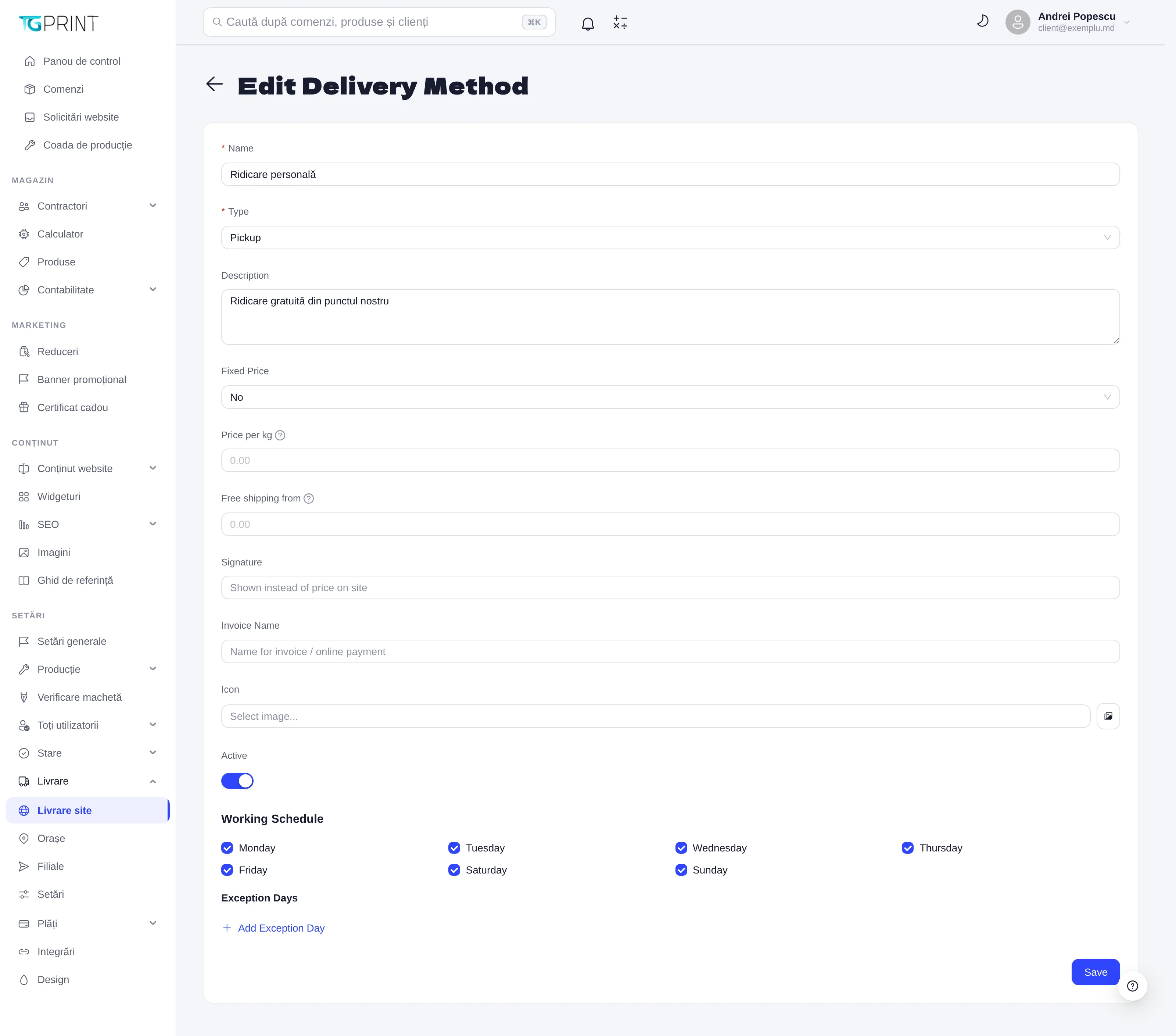
- Name and Description — what the customer sees at checkout; Type — Pickup or Courier.
- The price: Fixed Price (No = calculated), Price per kg (a tier per kilogram, applied to the estimated weight of the order) and Free shipping from (the order value from which delivery is free). See also Round Delivery Price in Settings.
- Signature — a text displayed on the storefront instead of the price (for example "calculated on confirmation"); Invoice Name — the name used on the invoice and for online payment; Icon — the method's icon.
- Working Schedule — the days on which the method operates (Monday–Sunday); Exception Days — the days on which it doesn't (Add Exception Day). They are taken into account when the delivery date is calculated.
- Active — the method appears at checkout only if it is active. Save.
Methods of type Pickup send the customer to choose a branch; Courier ones ask for the city and the address — or, when the method is linked to a carrier, the carrier's locality and branch / parcel locker (see below).
Delivery through a carrier
A Courier method can be linked to one of the integrated carriers: Nova Poshta (Ukraine), FAN Courier (Romania), CDEK (CIS), Nova Post (Moldova, Romania, Poland and the rest of the EU, Ukraine), Sameday (Romania, Bulgaria, Hungary — easybox lockers and Sameday Points), InPost (Poland — Paczkomat lockers and PaczkoPunkt points), Packeta (Czech Republic, Slovakia, Hungary, Romania — Packeta points and Z-BOX lockers) and DHL Express (door to door, in the EU and the rest of the world, customs papers included). The carrier must first be connected and switched on in Integrations; until then the list shows it as not connected and the method is not offered at checkout. In the method's form, under the price:
- Where it is offered → Every locality of these countries — the method appears in any locality of the chosen countries, including those that are not in the Cities list (the customer looks the locality up in the carrier's list). Empty: only in the cities you configured it for.
- Carrier → Delivered by — the carrier (The shop itself (no carrier) = your own delivery). If the chosen countries do not match the carrier's, the form warns you.
- Delivery — To a branch / parcel locker or To the door; for branches you also choose Points offered: Branches and lockers, Branches only or Parcel lockers only (at Sameday the "branches" are the Sameday Points in shops, the lockers are easybox; at InPost the branches are PaczkoPunkts, the lockers Paczkomats; at Packeta the branches are Packeta points, the lockers Z-BOXes). DHL Express delivers to the door only: To a branch / parcel locker cannot be chosen for it.
- Price — The shop's rules (fixed price, per kg, free from) or The carrier's tariff (the rules when it does not answer): the carrier's live price, converted into the shop's currency at your exchange rates; if the carrier does not answer, the method's rules apply. A price set for one locality (in Cities → Offers) takes precedence. Packeta has no price API: "the carrier's tariff" cannot be chosen for it, the method uses the shop's rules.
- Transit days — working days from the order being ready to its delivery; with the working schedule, checkout shows the estimated day (carriers that state it, like Nova Post, give it themselves).
At checkout, after choosing the method, the customer looks up the locality in the carrier's list, then picks the branch or locker (with its address, opening hours and maximum weight), or types the address for door delivery. The server reads the chosen point again from the carrier when the order is placed, so the order keeps the point's real name and address.
The AWB is created from the order page (Create AWB): the form starts from the customer's choice — locality, point or address, weight — with the declared value and the cash on delivery already converted into the carrier's currency (cash on delivery only for an order paid in cash, for what is still due). For Nova Post, Sameday, InPost, Packeta and DHL Express the form is the same: the country, the carrier's locality, the branch / locker or the street, house, flat and postal code, the service (Sameday; for DHL Express, the DHL product), the parcel description, the declared value, the cash on delivery, the sizes and the number of parcels; once created, the shipment's row has Tracking, Label (the carrier's PDF) and Cancel. At InPost the tracking number arrives a moment later (InPost buys the shipment in the background); until then the row shows InPost's id, and Tracking brings the number — or the reason InPost did not buy it. At DHL Express the label, the waybill copy and the commercial invoice come in one PDF, kept with the shipment (DHL returns it only on booking); cash on delivery is not available, and Cancel cancels only the courier pickup at DHL, if one was asked for — an unused label is simply not handed over. The status is refreshed by itself every two hours (or at once with Tracking), and the customer gets an e-mail when the parcel leaves and when it waits at the point, if E-mail the customer about the parcel is ticked in Settings (below). See also The order page.
Cities
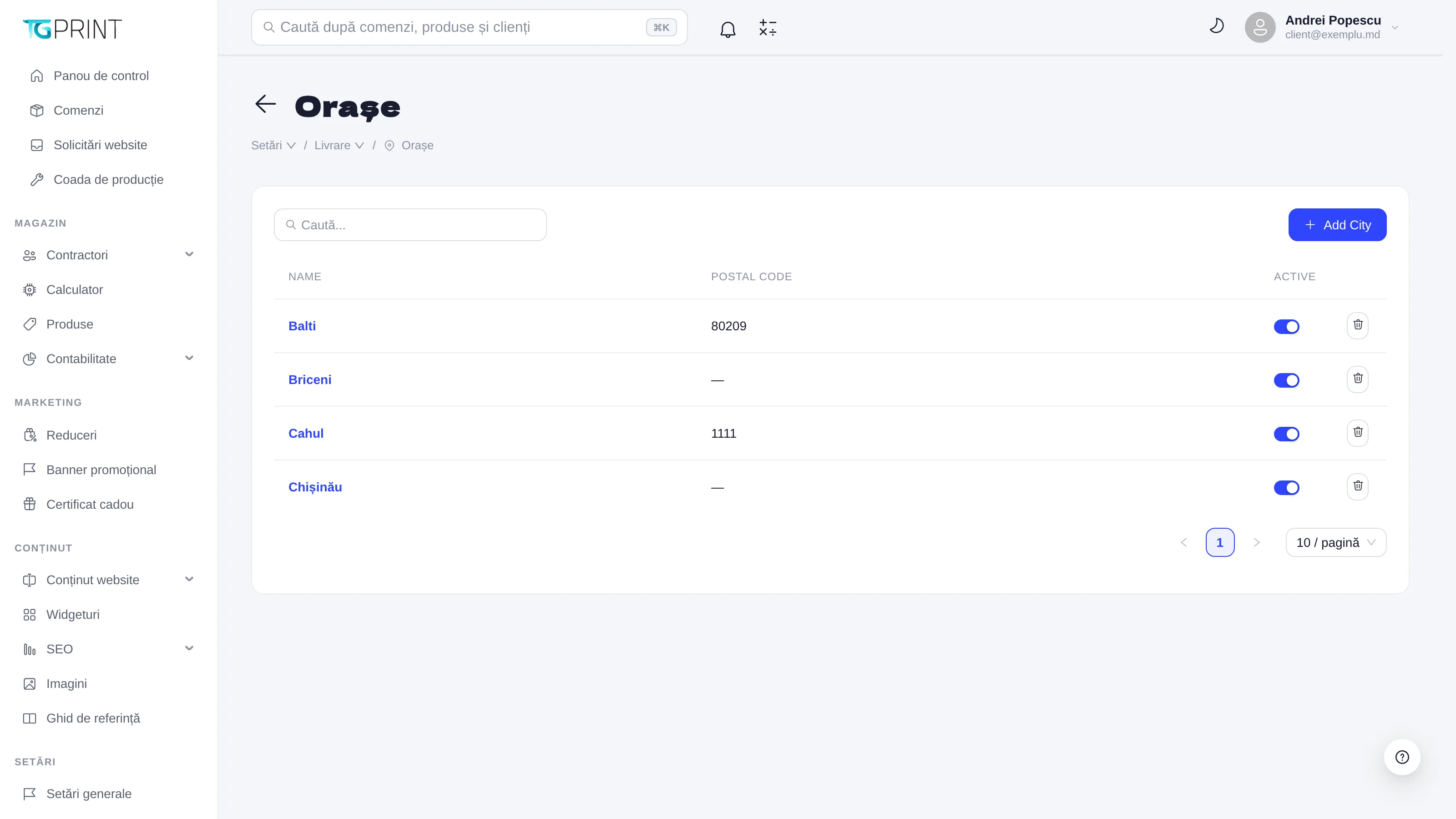
Cities is the list of the localities you deliver to, with Name, Postal code and Active. The customer picks the city from this list; for an inactive or missing city, all active methods are offered when the delivery is changed from the admin panel, and the cost can be negotiated manually. Add City adds a city.
Branches
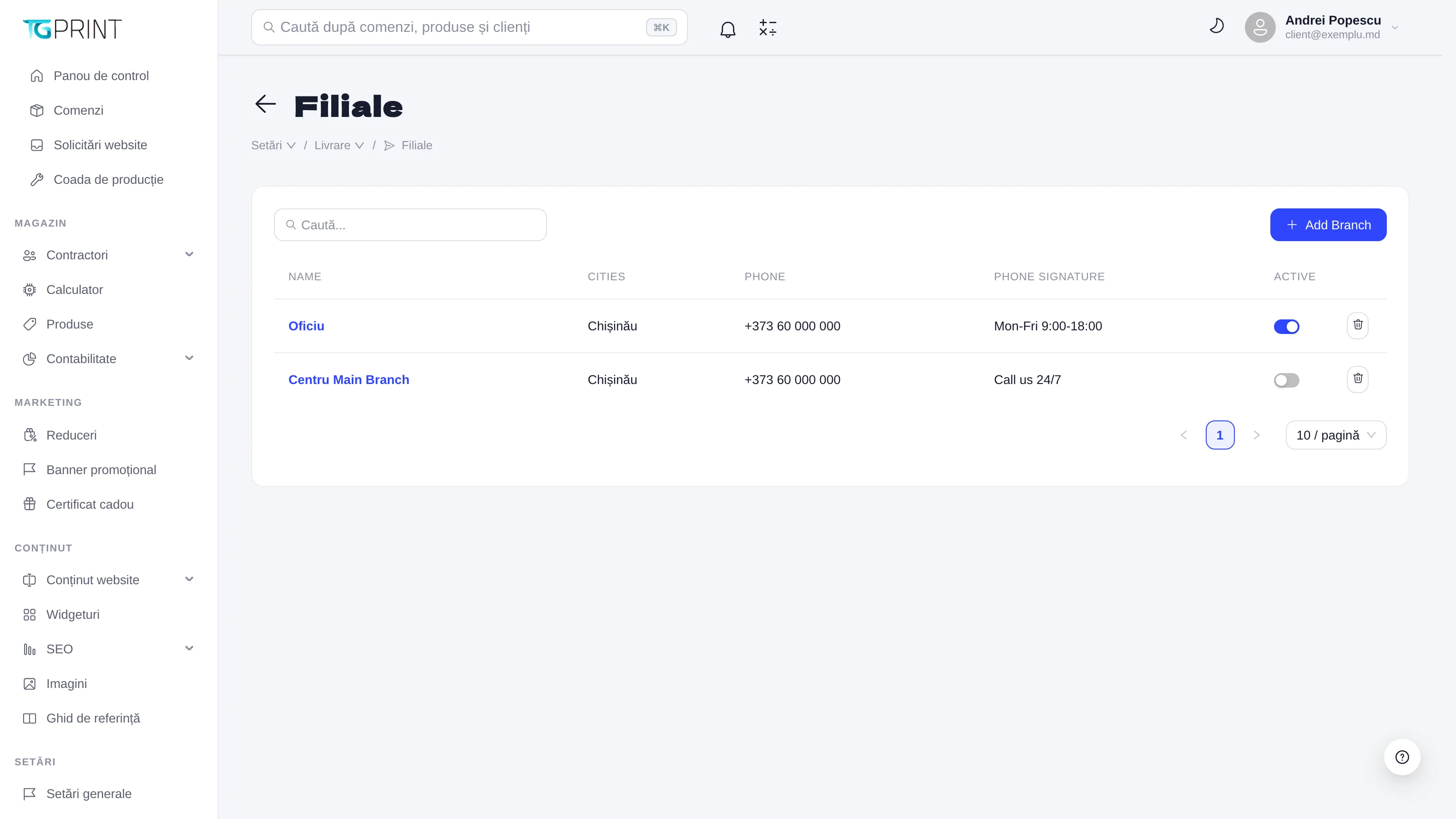
Branches are your physical locations — the office, the workshop, a partner shop — where the customer can pick up the order: Name, Cities (the cities served), Phone, Phone signature (the text next to the phone number: "Mon-Fri 9:00-18:00") and Active. Add Branch creates a branch; each one can have pickup points with an address and a schedule. The chosen branch appears on the order under Pickup point, together with the Planned pickup date.
Settings
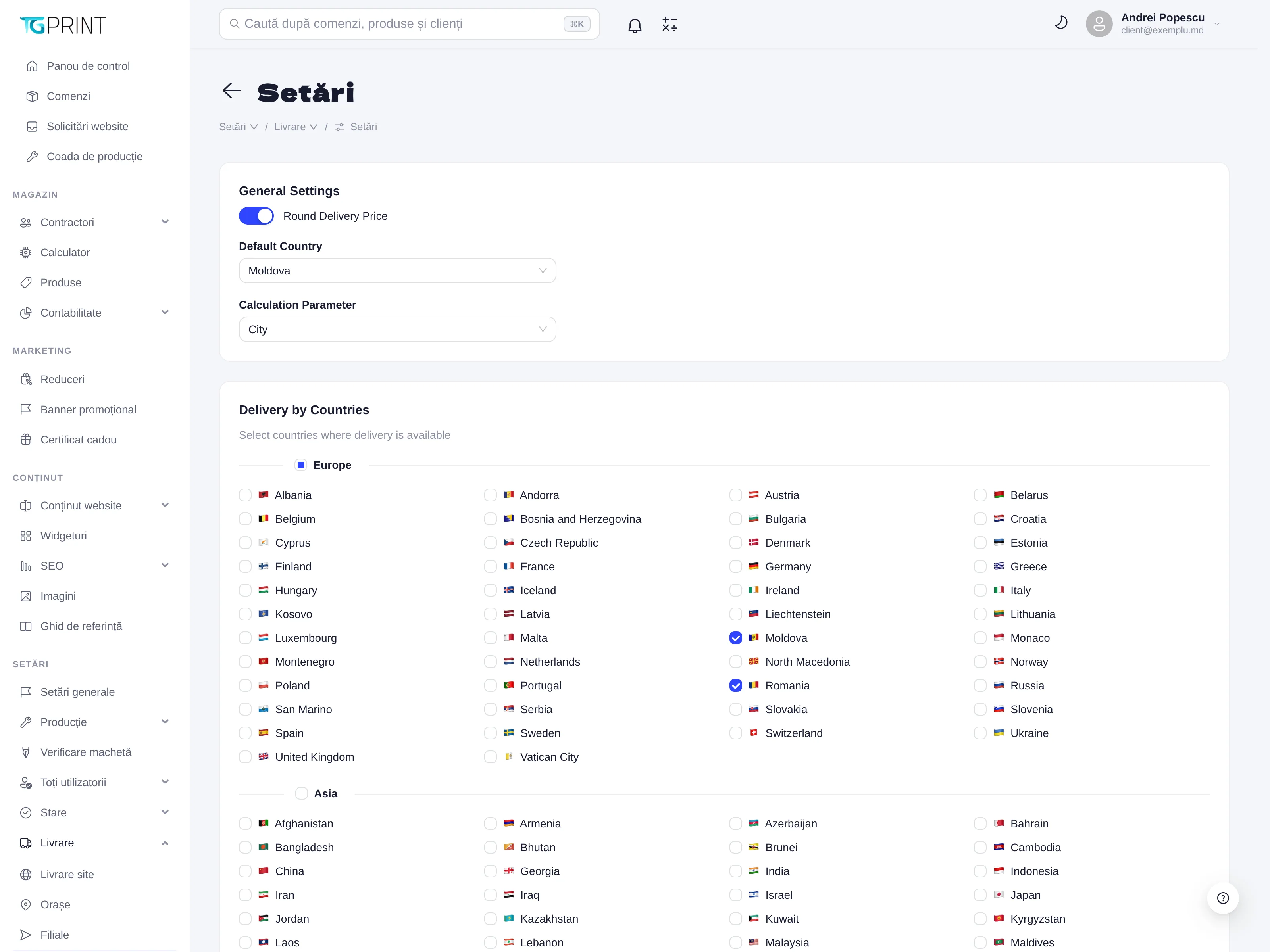
- Round Delivery Price — rounds the calculated delivery cost (no decimals on the invoice).
- Default Country — the country preselected at checkout (Moldova).
- Calculation Parameter — what the delivery is calculated by: City (by city) or by another criterion.
- Delivery by Countries — tick the countries you accept deliveries to (grouped by continent); a customer from a country that isn't ticked cannot check out with delivery.
- E-mail the customer about the parcel — when the carrier takes the parcel and when it waits at the customer's branch / locker, the customer gets an e-mail with the tracking link (the carriers are checked every 2 hours).
Note. Pickup methods can be turned off globally in one move, from Settings → Integrations → Self Pickup, without deactivating the branches: handy when the workshop is temporarily closed. While it is off, pickup appears neither on the storefront nor when the delivery is changed from the admin panel.